
38 lines
1.2 KiB
Plaintext
38 lines
1.2 KiB
Plaintext
---
|
|
title: Add Access - Template course page
|
|
description: Membuat akses untuk produk ecourse
|
|
date: 12-12-2024
|
|
---
|
|
|
|
<Youtube videoId="vKS9w7badRI" />
|
|
|
|
<Note type="note" title="Note">
|
|
Untuk menambahkan akses pada ecourse dan menautkannya pada produk, pastikan
|
|
anda memilih template **sejoli course page** pada post attributes.
|
|
</Note>
|
|
|
|
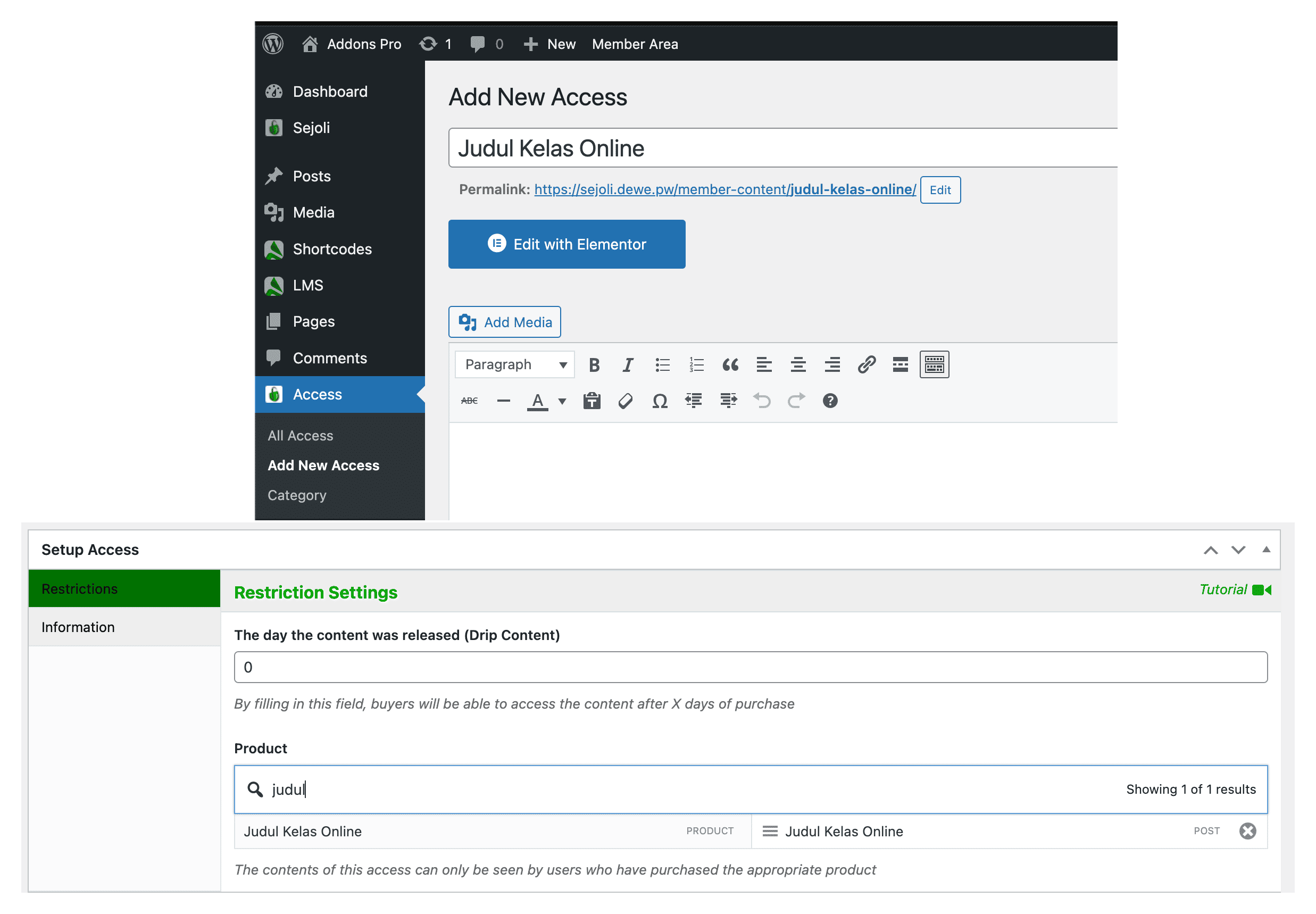
## Add New Access
|
|
|
|
|
|
|
|
<Stepper>
|
|
<StepperItem title="Step 1: Navigasi ke Access">
|
|
Pada halaman wp-admin ke menu `Access` --> `Add New Access`.
|
|
</StepperItem>
|
|
<StepperItem title="Step 2: Submenu Add New Access">
|
|
Pada halaman editor untuk pengaturan akses isi kolom yang diperlukan.
|
|
</StepperItem>
|
|
<StepperItem title="Step 3: Setup Access">
|
|
Pada tab restriction di kolom produk ketikan dan pilih produk yang akan
|
|
ditautkan ke akses.
|
|
</StepperItem>
|
|
<StepperItem title="Step 4: Post Attributes">
|
|
Pilih template **sejoli course page** untuk membuat akses dengan jenis
|
|
ecourse.
|
|
</StepperItem>
|
|
<StepperItem title="Step 5: Publish">
|
|
Klik tombol `publish` untuk menerbitkan akses dengan template sejoli course
|
|
page.
|
|
</StepperItem>
|
|
</Stepper>
|