
34 lines
1.2 KiB
Plaintext
34 lines
1.2 KiB
Plaintext
---
|
|
title: Aktifkan Fitur
|
|
description: Aktifkan Checkout UI untuk halaman checkout produk
|
|
date: 14-12-2024
|
|
---
|
|
|
|
<Youtube videoId="f7zxTE2S8TY" />
|
|
|
|
## Langkah - Aktifkan Fitur
|
|
|
|
<Stepper>
|
|
<StepperItem title="Step 1: Navigasi ke Product">
|
|
Pada halaman wp-admin navigasi ke menu `product` akan muncul daftar produk
|
|
kemudian sorot dan klik `edit`.
|
|

|
|
</StepperItem>
|
|
<StepperItem title="Step 2: Tab Checkout UI">
|
|
Pada halaman pengaturan produk akan anda temukan section `Sejoli Setup` ->
|
|
tab `Checkout UI` centang opsi **Aktifkan Checkout UI**.
|
|

|
|
</StepperItem>
|
|
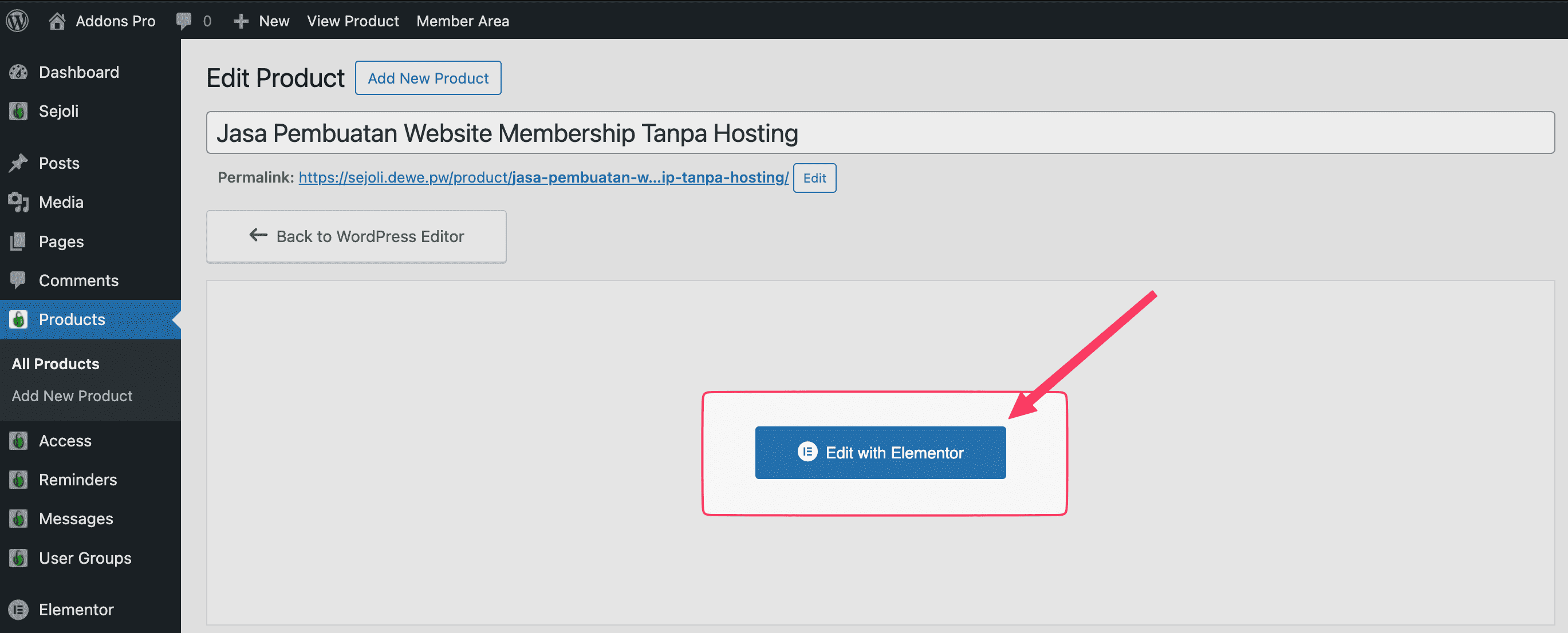
<StepperItem title="Step 3: Edit With Elementor">
|
|
Klik tombol **Edit With Elementor** untuk membuat desain halaman checkout
|
|
dengan widget-widget dari plugin Checkout UI.
|
|
|
|
</StepperItem>
|
|
</Stepper>
|
|
|
|
<Note type="note" title="Penting!">
|
|
Jika tombol **Edit With Elementor** tidak muncul di halaman pengaturan produk,
|
|
navigasi ke menu `Elementor` -> `Settings` lalu centang opsi `Products` pada
|
|
**Post Types**.
|
|
</Note>
|