
99 lines
4.4 KiB
Plaintext
99 lines
4.4 KiB
Plaintext
---
|
||
title: "Building a Dynamic Documentation Platform with DocuBook: A Deep Dive"
|
||
description: "Explore how DocuBook simplifies the creation of interactive and dynamic documentation platforms. This blog post provides insights into its features, changelog updates, and how it enhances the documentation experience."
|
||
date: 31-12-2024
|
||
authors:
|
||
- avatar: "https://ui.shadcn.com/avatars/02.png"
|
||
handle: mywildancloud
|
||
username: Wildan nrs
|
||
handleUrl: "https://github.com/mywildancloud"
|
||
cover: "https://img.freepik.com/free-photo/high-angle-designer-working-floor_23-2149930985.jpg?t=st=1735654027~exp=1735657627~hmac=2cd2d48f845d1691a28992aec65a3bc11b8e28680d06eeff218e8a773fffc36e&w=2000"
|
||
---
|
||
|
||
## Introduction: Why DocuBook Stands Out in Documentation Platforms
|
||
|
||
In the fast-evolving world of web development, creating and maintaining well-structured documentation is crucial. Whether you're working on open-source projects, internal tools, or client deliverables, a robust documentation platform can make all the difference. Enter **DocuBook**—a modern, interactive, and dynamic platform designed to streamline the documentation process.
|
||
|
||
In this blog post, we’ll explore the key features of DocuBook, highlight recent updates from its [changelog](https://www.docubook.pro/changelog), and discuss why it’s an essential tool for developers and teams.
|
||
|
||
## Key Features of DocuBook
|
||
|
||
### 1. Interactive Documentation
|
||
|
||
DocuBook offers a seamless user experience with interactive elements such as expandable sections, live code previews, and integrated search functionality. This ensures that users can quickly find and engage with the content they need.
|
||
|
||
### 2. Dynamic Changelog Management
|
||
|
||
The changelog feature in DocuBook allows teams to document updates, bug fixes, and feature rollouts in a structured format. This helps maintain transparency and keeps users informed about the latest developments.
|
||
|
||
### 3. Customizable Themes
|
||
|
||
DocuBook supports theme customization, enabling you to align the documentation's appearance with your brand identity. From color schemes to typography, you have full control over the design.
|
||
|
||
### 4. Built-in Versioning
|
||
|
||
With built-in versioning, DocuBook makes it easy to manage multiple versions of your documentation. This is particularly useful for projects that evolve over time or have distinct releases.
|
||
|
||
### 5. Markdown and MDX Support
|
||
|
||
Leverage the simplicity of Markdown and the flexibility of MDX to create rich, component-based documentation. DocuBook seamlessly integrates with modern frameworks like React for a smooth development experience.
|
||
|
||
## Recent Updates: Highlights from the Changelog
|
||
|
||
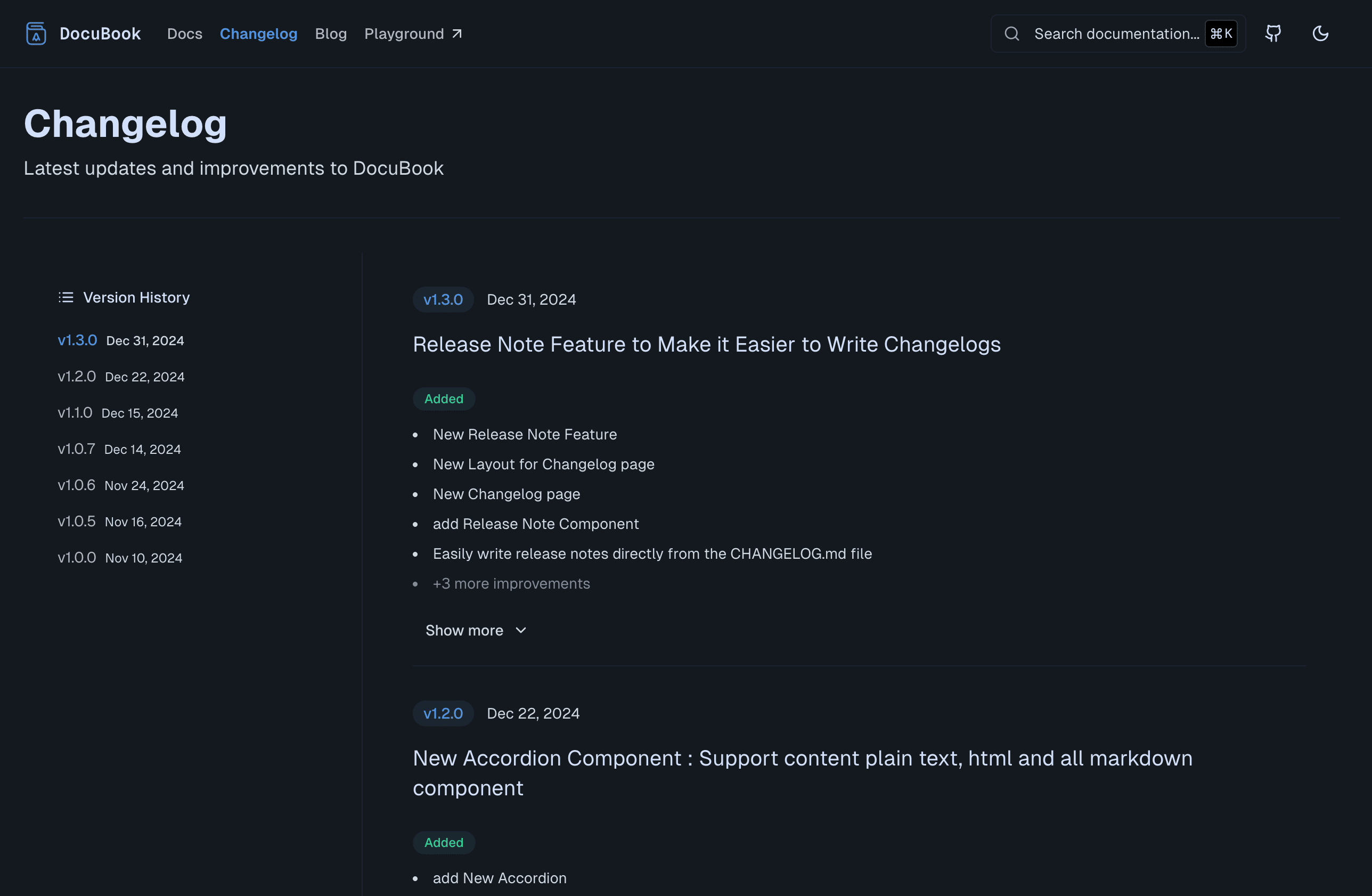
## [v1.3.0] - 2024-12-31
|
||
|
||
> Release Note Feature to Make it Easier to Write Changelogs
|
||
|
||
|
||
|
||
### Added
|
||
|
||
- New Release Note Feature
|
||
- New Layout for Changelog page
|
||
- New Changelog page
|
||
- Add Release Note Component
|
||
- Easily write release notes directly from the CHANGELOG.md file
|
||
- TOC for versioning
|
||
- Write with the markdown tag
|
||
- Add lib / changelog.ts
|
||
|
||
### Improved
|
||
|
||
- Improvement Responsive feature image for Version Entry
|
||
- Improvement Layout for changelog page
|
||
- Improvement Padding on mobile devices
|
||
|
||
### Fixed
|
||
|
||
- Fix og:image not showing on Page.tsx
|
||
|
||
### Removed
|
||
|
||
- Remove excessive padding
|
||
- Only use containers of md size
|
||
- Remove Logo on Footer
|
||
|
||
For a full list of updates, visit the [changelog](https://www.docubook.pro/changelog).
|
||
|
||
## Why Choose DocuBook?
|
||
|
||
### Streamlined Collaboration
|
||
|
||
DocuBook enables teams to collaborate effectively by providing tools for inline comments, suggestions, and version control. This ensures that everyone stays on the same page.
|
||
|
||
### Developer-Friendly
|
||
|
||
With support for modern frameworks, DocuBook simplifies the integration process. Whether you’re using React, Next.js, or plain HTML, DocuBook adapts to your workflow.
|
||
|
||
### Scalability
|
||
|
||
Designed to handle projects of any size, DocuBook scales effortlessly, making it ideal for both small teams and enterprise-level organizations.
|
||
|
||
## Conclusion: Elevate Your Documentation Game with DocuBook
|
||
|
||
DocuBook is more than just a documentation tool; it’s a platform that empowers developers and teams to create, manage, and maintain high-quality documentation with ease. Its rich feature set, combined with regular updates, makes it a must-have for any project.
|
||
|
||
Ready to transform your documentation experience? Explore more at [DocuBook](https://www.docubook.pro) and start building documentation that stands out.
|
||
|
||
🚀📚
|